GoHighLevel Chiropractic Patient Reactivation Funnel: A Complete Guide for Chiropractors

Patients visit once or twice, then just disappear from your calendar. Your revenue drops every single month as these patients go elsewhere. You spend valuable time calling them, but very few actually pick up.
A reactivation funnel solves this problem without your staff making calls. It sends reminders through email and SMS to inactive patients automatically. The funnel tracks who needs to come back and offers them deals. Instead of cold calls, your team focuses on patients in your chair.
This article shows you why these funnels work better than calling. You will learn what to build and how to set it up in GoHighLevel. You will also see real numbers from other clinics that already did this.
Why Reactivation Funnels Work
Patients forget about you much too fast. But the right message at exactly the right time brings them back. A reactivation funnel does this without anyone from your staff picking up. It’s simple, automated, and fills your calendar with returning patients consistently.
These four reasons show why funnels work better than cold calling.
1. Your Patients Forget They Need You
Patients stop thinking about their back pain until it bothers them again. When that pain returns, they remember you sent them a helpful message. That reminder brings them back to you before they call competitors nearby.
2. Automation Stops Wasting Your Team’s Time
Your front desk staff no longer spends hours calling inactive patients. Email and SMS handle outreach instead, so patients get consistent messaging. Nobody gets missed because someone was too busy with other important work.
3. Bringing Back Old Patients Costs Less Money
You already have their trust from their past visits to your clinic. They know your clinic helps people and feel comfortable returning to you. Reactivating those costs far less than hunting down completely new patients daily.
4. You Stay Top of Mind When They Hurt
When back pain returns, you want them thinking of you first. Not your competitor down the street or some clinic they saw online. Regular reminders ensure you’re the clinic name that they remember best.
Read this: GoHighLevel Sales Funnel Design for Martial Arts Businesses to Boost Leads & Memberships

What Your Funnel Needs to Actually Work
Now that you understand why funnels matter, let’s discuss what goes into yours. These six pieces work together to turn inactive patients into scheduled appointments. Miss one and your results drop significantly. Get all six, and you win. Your funnel becomes a system that runs on its own automatically every month.
Here’s what you need to build to make this work:
Patient Identification
GoHighLevel automatically tags anyone who hasn’t booked in the last six months. No manual work is needed to find and sort these patients out. The system creates a clean list you can reuse every single month.
Landing Page
One clear headline and one main benefit should be on the page. Keep it simple, like “Get back to pain-free movement today.” Sound helpful and genuine, never like you’re trying to sell them hard.
Fast Booking Process
Let your patients book in two clicks maximum or even fewer clicks. Show available appointment times right there so they see what’s available. Skip long forms asking for information they don’t need to share yet.
Follow-up Messages
Send an email three days after they land on your page. Follow up with an SMS on day five if they didn’t book. Stop there. That’s one email and one SMS per week total.
Confirmation Page
Show photos of your clinic and treatment rooms on the page. Display your actual credentials and real patient success stories right there. Seeing testimonials and your face makes patients feel confident about booking.
Keep Them Coming Back
Follow up after their appointment asking how they felt about it. One good visit can turn into months of regular treatment plans. Don’t let the relationship end after they reschedule their appointment once.
Key Decisions to Make Before Building Reactivation Funnel
You could jump in and build right now, but slow down first. These decisions matter because they change everything about how your funnel works. Get them right from the start so you don’t waste time rebuilding. Rebuilding later costs weeks you don’t have to waste.
Think about what you want first, then design around that goal. Here are nine key decisions that separate good funnels from bad ones:
1. Pick Your Main Goal First
Decide if you want more bookings or ongoing treatment plans overall. Maybe you want to educate patients about their specific back problems. Your whole funnel changes based on which single goal you pick first.
2. Keep Everything Simple
Patients scan headlines looking for pain relief, then click or leave. Complicated funnels with multiple sections lose people in just a few seconds. One clear message beats long paragraphs and confusing copy every single time.
3. Build Everything for Mobile Phones
More than six in ten patients use phones to book appointments. Your page must load fast, and buttons have to be big enough. Test your funnel on three different phones before you launch it.
4. Write Clear Action Buttons
Use words like “Book Appointment” or “Schedule Now”, not “Submit”, please. Place the same button multiple times as they scroll down the page. Add small notes like “Limited Spots Available” above buttons to create urgency.
5. Trust Is Everything
Include real patient testimonials and photos of you and your team. Show your actual credentials and clinic certifications right on the page. Patients book appointments when they feel safe and comfortable with you.
6. Automation Does the Work for You
The funnel sends SMS reminders and emails without your team involved. It confirms appointments without anyone from your staff needing to touch it. If you manually trigger messages, you lose the whole automation benefit here.
7. Make It Look Like Your Clinic
Edit the template text and upload your actual clinic logo. Change the colors to match your brand and clinic identity. Make it yours, not a generic template that looks like everyone’s.
8. Connect Your Booking Calendar
When someone books in the funnel, it appears in your schedule. No double bookings happen, and there is no confusion about availability. Test the connection works before you launch it to patients.
9. Start With a Proven Template
Don’t build from scratch with no data backing up your decisions. Use a template that other clinics have already tested and proven. Start with something that already works instead of guessing what works.
How to Set Up Your Reactivation Funnel
This is the step-by-step path from deciding to launch. You don’t need coding knowledge or design skills. GoHighLevel handles the technical stuff. You just need to follow these seven steps in order, and your funnel will be live.
Step 1: Find Your Inactive Patients
Go to your Contacts section in GoHighLevel right now. Filter the list to show only people who haven’t booked in six months. Save this as a Smart List so you can reuse it every single month.
Step 2: Choose Your Template
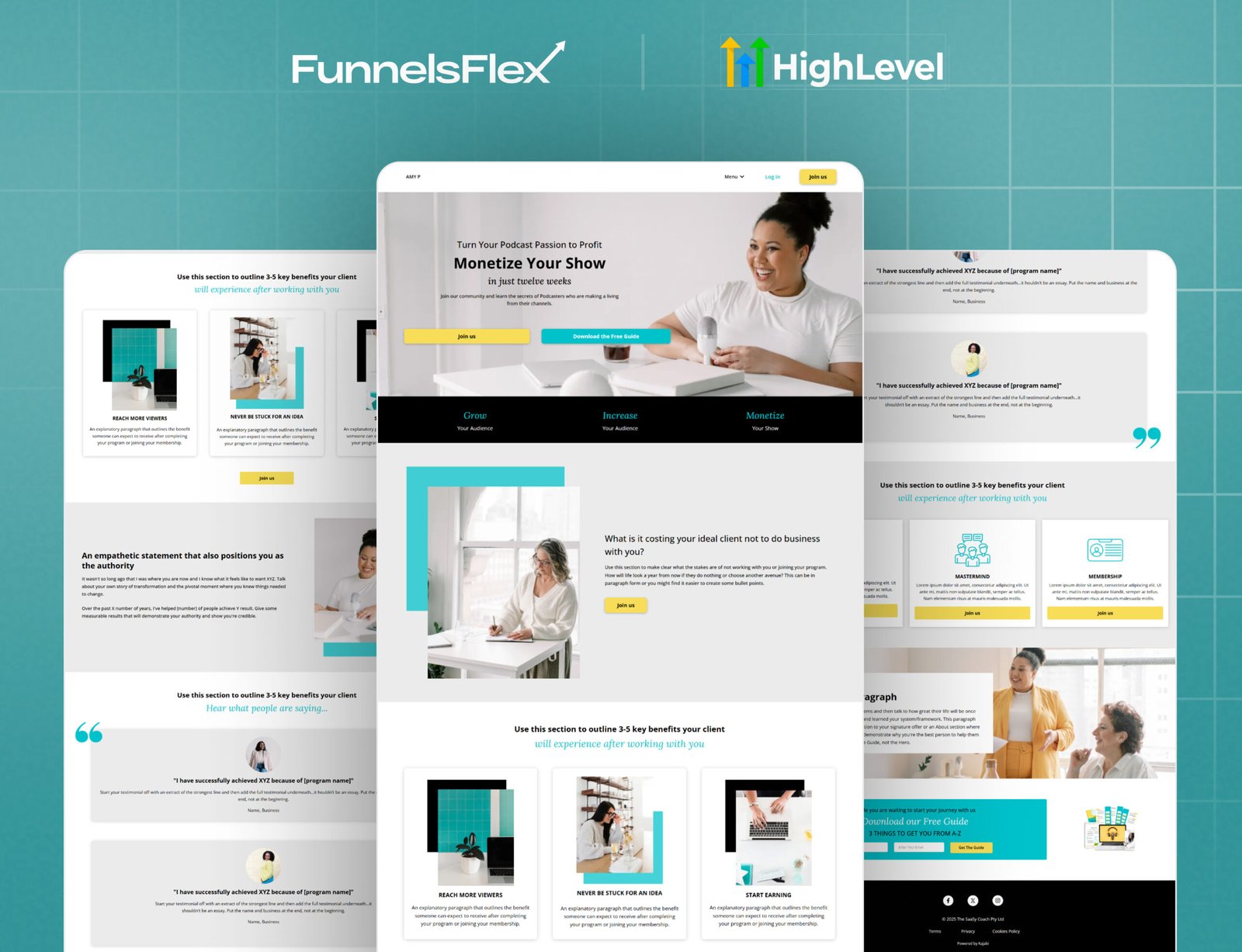
Pick a chiropractic patient reactivation template from FunnelsFlex or GoHighLevel. A pre-made template saves you weeks compared to building from zero. Import the template directly into your GoHighLevel account.
Step 3: Customize Your Copy and Media
Change the headline to your actual clinic name and location. Add your real phone number so patients can call if needed. Upload actual photos of your clinic, treatment room, and your team members.
Step 4: Connect Your Booking Calendar
Link your appointment calendar to the funnel right now. Test it so patients see your real availability when they click book. A broken calendar connection is worse than having no funnel at all.
Step 5: Set Up Automation Sequences
Create an email that sends three days after someone enters the funnel. Add an SMS that goes out five days after they land there. Tag everyone who books so you can measure your conversion numbers.
Step 6: Send to Your Patient List
Email the funnel link to your inactive patient smart list. Start with half the list and wait one week for results. Then send it to the rest of your inactive patients.
Step 7: Check Your Numbers Weekly
Look at your analytics every single week without fail. Count how many opened the email, clicked, and actually booked. Change your headlines and offers based on real numbers, not guesses.
Read this: Sales Funnel for Web Design Agency: Grow Clients Faster With Simple Conversions
Real Example of a Reactivation Funnel in Action
A chiropractic clinic in Texas has fifty inactive patients from the past year. The doctor tried calling them but only reached fifteen people. Many calls went to voicemail.
Instead of calling, the clinic sent a reactivation funnel to all fifty patients via email. The funnel showed a special offer: first appointment 50% off. A reminder message mentioned that the patient had not been in for back pain treatment in over a year.
Thirty patients opened the email. Twelve clicked the booking button. Eight actually booked appointments. Four of those appointments resulted in ongoing treatment plans.
This happened automatically without any staff making phone calls. The same funnel can be sent to new inactive lists every month.
Common Mistakes Chiropractors Make With Reactivation Funnels
Conclusion
A patient reactivation funnel brings inactive patients back to your clinic without manual work. It sends automated reminders, tracks results, and fills empty appointment slots.
Start by identifying your inactive patients and choosing a proven template. Customize the funnel with your clinic details, connect your booking system, and set up follow-up workflows.
Launch your funnel to a small group of inactive patients first. Track your results for two weeks and make improvements based on real data. Once it converts well, expand to larger patient lists.
The best time to start a reactivation funnel is today. Every month you wait, more patients forget about your clinic and go elsewhere.
FAQs About Chiropractic Patient Reactivation Funnel
Most bookings happen within the first two weeks of sending. Patient appointments start filling your calendar within three to four weeks. Results come fast if your offer is actually good and real.