GoHighLevel Client Onboarding Guide: Step‑by‑Step Process to Streamline Agency Setup & Success

GoHighLevel client onboarding is a step-by-step system that helps agencies set up new clients quickly, automate communication, and avoid manual errors.
It uses intake forms, CRM pipelines, calendars, and automated workflows to move clients from signup to launch smoothly.
In this guide, you’ll learn the complete GoHighLevel client onboarding process and how agencies use it to deliver a professional first experience.
What Is GoHighLevel Onboarding For Clients?
Client onboarding in GoHighLevel means building a system that takes a new customer from purchase to fully set up inside your agency platform. It includes collecting client data, signing contracts, and scheduling kickoff calls.
It also comes with organizing assets, automating follow-ups, and tracking progress with an onboarding pipeline.
Why a Structured Onboarding Process Matters
GoHighLevel Client Onboarding Includes:
This onboarding workflow is commonly used by agencies managing multiple clients inside GoHighLevel.
Step‑by‑Step GoHighLevel Onboarding Process
Map Your Ideal Client Journey
Start by sketching the steps every client goes through: from sign‑up to kickoff call to asset collection and launch. Understanding your flow first helps you build forms, workflows, and pipelines that match exactly what you need.
Read this: Top Lead Magnet Ideas For Sales Funnel to Grow Your Email List Magically
Build a Detailed Client Intake Form
Create an intake form to capture essential client details:
This becomes your central source for data throughout onboarding.
Set Up a CRM Pipeline
Use an onboarding pipeline with clear stages, like:
Create Automated Workflows
Workflows are the heart of onboarding automation. With workflows, onboarding becomes hands‑off and predictable:
Send Welcome Messages & Next Steps
If you follow a consistent messaging process, it will improve engagement early. Send a warm welcome message that includes:
Embed Calendars for Scheduling
Now, put your calendar link in onboarding messages so clients can schedule the kickoff call without back‑and‑forth emails.
Automated reminders reduce no‑shows.
Collect Client Assets & Resources
Use file-upload fields in your forms or emails to collect them. This saves time and keeps all assets in one place.
Train Clients on the Platform
After setup, give clients a quick orientation. This sets clear expectations and reduces support questions.
Read this: Best GoHighLevel Templates for Agencies: Save Time, Convert More Clients
Real World Example of a GoHighLevel Onboarding Workflow
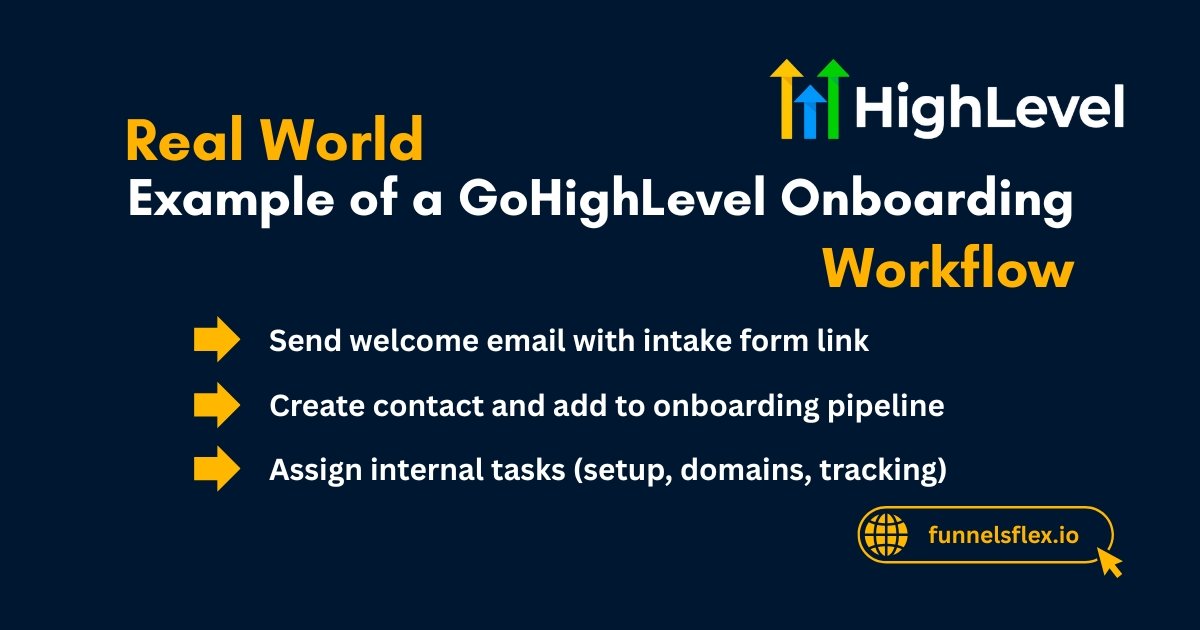
Trigger: Client moves to Client Won →
Best Practices for Faster Onboarding
These small refinements make onboarding faster and smoother with every client.
Read this: Sales Funnel for Roofing Companies: Simple Guide For Beginners
What You Need Before You Start Onboarding
Before you build the system, gather these essentials: