How to Build a Membership Site in GoHighLevel? Complete Guide

Want to create recurring income online? A membership site is one of the best ways to do it. With GoHighLevel, the process is simple and beginner-friendly. You do not need WordPress or technical skills.
You can build a membership site in GoHighLevel using one easy platform. A GoHighLevel membership site lets you share courses, coaching, or private content with secure access. Using the GHL membership builder, you can launch faster and manage everything in one place.
In this blog, we will show you how to build a membership site in GoHighLevel.
What Is a GoHighLevel Membership Site?
A GoHighLevel membership site is a private online area for your users.
Members use their information to access your content. You are in a position to share videos, lessons, PDFs, and other files. This content is only visible to approved members, and this ensures that everything is safe and ordered.
Want to launch your membership site quickly? Book a free consultation and see how GoHighLevel can simplify everything for you.
What is the Purpose of the Membership Site in GoHighLevel?
GoHighLevel makes it easy and cheap to build a membership site. No WordPress or additional plugins are needed. All this is done within a single platform. It is easy to manage users, control access, and link payments with funnels.
This is why it is an excellent option for coaches, agencies, and content creators who want a clean and simple setup.
Key benefits:
What Do You Need Before You Start?
Before creating your membership site, make sure you have the basics ready. This helps you set things up faster and avoid confusion later.
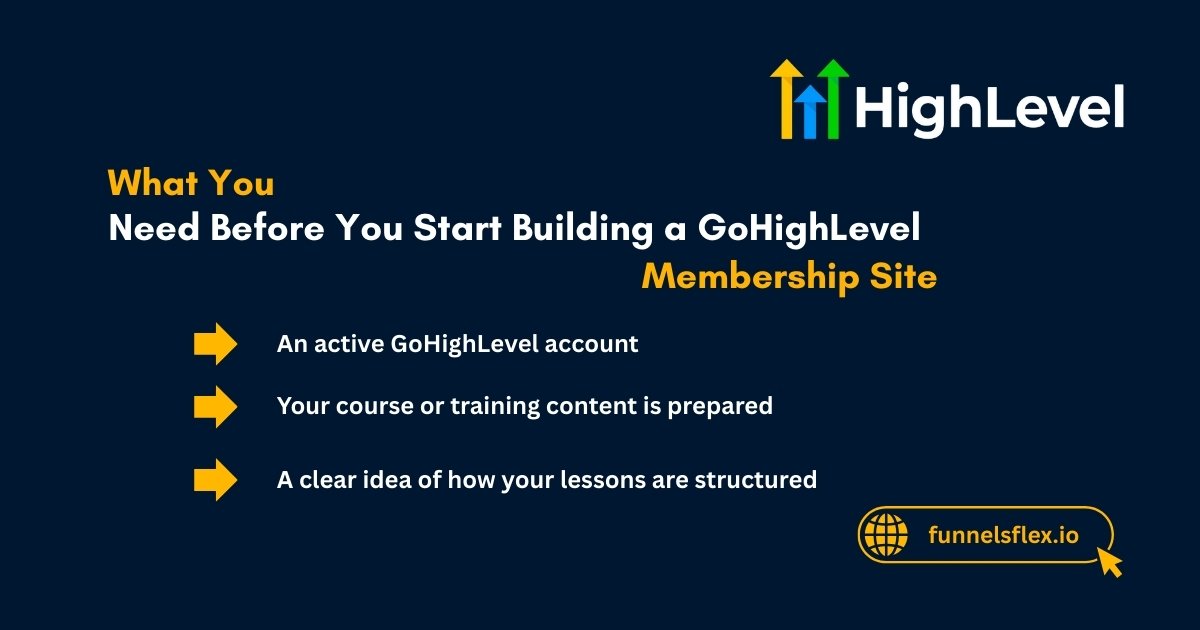
You will need:
With these ready, you can start building your membership site without any technical stress.
Read this: Best AI-based Marketing Automation ideas for Smarter Growth
Step-by-Step: Build a Membership Site in GHL
Building a membership site in GoHighLevel is simple and beginner-friendly. You do not need coding or technical skills. Just follow these steps, and you can launch your membership site smoothly.
Create a New Membership Product
Start by creating a new membership product inside your GoHighLevel account. This product will hold all your lessons and content. You can name it based on your course or program.
This step sets the foundation of your membership site.
Add Categories and Lessons
Next, organize your content using categories and lessons. Categories act like sections or modules. Lessons are the actual content inside each category.
This makes your membership site easy to understand and navigate.
Upload Videos and Content
Now upload your content. You can add videos, text, PDFs, and other files. GoHighLevel allows you to place everything in one lesson.
This helps members learn without jumping between tools.
Set User Access Levels
You control who views your content. You are able to develop various access roles for free users, paid members, or VIP clients.
This will enable you to secure your content and control people easily.
Connect Login Pages
Lastly, attach your membership to a log-in page. This enables users to log in and get access to their content. It is also possible to connect a sign-up or sales page.
After this, your membership site is now ready to use.
Types of Membership Sites You Can Create:
GoHighLevel allows you to make various membership sites. Regardless of your business model, it is easy to arrange content and manage access. It remains plain and professional.
You can create:
GoHighLevel allows you to create a membership site in virtually any business or service.
Read this: Best Sales Funnel Strategy for Beginners (Step-by-Step Guide in 2026)
Free and Paid Membership Sites:
Selecting the free membership or the paid one should be based on your objectives. Both of them are effective in GoHighLevel and simple to install.
Free membership sites:
Paid membership sites:
GoHighLevel supports both free and paid memberships. Choose the option that fits your business and growth plan best.
Try GoHighLevel risk-free! Get a 30-day free trial and start building your membership site today with full automation and member management.
Final Thoughts
Build a membership site in GoHighLevel and take your business to the next level. It’s easy, fast, and all-in-one. You can share courses, coaching, or exclusive content with your members. No extra tools or complicated setups are needed.
With GoHighLevel, you control everything from content to member access. Build a membership site in GoHighLevel and start growing your business with confidence today.
FAQs
Can GoHighLevel host a membership site?
Yes, GoHighLevel can host membership sites directly. You can manage content, members, and access all in one platform.
Does GoHighLevel support memberships?
Yes, GHL fully supports memberships. You can create free or paid membership levels for your users.
Can I sell courses on GoHighLevel?
Yes, you can sell courses and accept payments inside GHL. Stripe or other payment options make it easy.
How secure is a GoHighLevel membership?
Memberships are secure with password-protected logins. You control who can access your content.