

![GoHighLevel AirBnB Funnel – Automated Booking & Guest Conversion System The GoHighLevel AirBnB Funnel is designed to help hosts, vacation rental owners, and short-term rental managers generate more direct bookings and automate guest communication. Whether you manage a single property or multiple listings, this funnel streamlines lead capture, booking management, and guest follow-ups to make your rental business more efficient and profitable. With built-in automation for inquiries, booking confirmations, reminders, and follow-ups, it helps you increase bookings while keeping everything organized inside GoHighLevel. This ready-to-use funnel includes three conversion-focused pages—Home, Booking, and Thank You—carefully structured to guide guests from interest to confirmed reservation without confusion. 🎥 Watch the Full Step-by-Step Setup Tutorial: [Watch Here] 🧩 How to Import the AirBnB Funnel into Your GoHighLevel Account Log in to your GoHighLevel account using the same browser. Click the Import Link: [Import Funnel] When prompted, click “Import Funnel” and select your desired sub-account. Once imported, begin customizing it with your property details, rates, and branding. ⚠️ Note: Import the template into one sub-account only to avoid licensing issues. 🛠️ Funnel Customization Guide 1. Update the Domain / URL Go to Funnels/Websites in your GoHighLevel dashboard. Open the AirBnB Funnel. Click Settings. Under Domain/Path, enter your custom domain or desired path (example: /book-now). Click Save Changes. 🧠 Tip: Ensure your domain is already connected inside GoHighLevel DNS settings before publishing. 2. Customize Branding (Colors, Fonts, Logo) Open any page in the Page Editor. Click on sections, rows, or elements to edit. Use the Design tab to adjust fonts, brand colors, and layout styles. Upload your logo and apply your brand hex codes for consistency. Click Save and Preview to review changes. 3. Edit Page Content Replace placeholder text with your property description, amenities, testimonials, and booking details. Keep the messaging clear, benefit-focused, and action-driven. Highlight what makes your property unique and why guests should book directly. 4. Set Up Booking & Automation Connect your GoHighLevel booking form to your property availability and rates. Configure automated email and SMS confirmations, reminders, and follow-ups. Test the full booking process to ensure guests can reserve smoothly. 5. Add or Modify Sections You can enhance the funnel with: Property highlights & amenities Guest testimonials for social proof Special offers or upgrade blocks FAQs to reduce booking objections Check-in & house rules section Use the drag-and-drop builder to adjust layout easily. 6. Launch & Promote Publish your funnel from the Settings tab. Copy your live booking page link. Share it via email, social media, ads, or your website. Test on desktop and mobile before running traffic. 🌟 Key Features ✅ Clean and professional short-term rental design ✅ One-click import into GoHighLevel ✅ Fully mobile-responsive layout ✅ Automated guest inquiry and booking system ✅ SMS & email confirmations and reminders ✅ SEO-friendly and fast-loading ✅ Easy drag-and-drop customization 🎯 Who This Funnel is Perfect For 🏡 AirBnB Hosts 🏖 Vacation Rental Owners 🏘 Short-Term Rental Managers 🏢 Property Rental Agencies 💼 What’s Included in Your Purchase ✔️ Complete GoHighLevel AirBnB Funnel ✔️ Home Page (Property Overview & Lead Capture) ✔️ Booking Page (Automated Reservation System) ✔️ Thank You Page (Booking Confirmation & Follow-Up) ✔️ Built-in automation for emails & SMS ✔️ Mobile-ready design ✔️ Lifetime access to the funnel ✅ What You’ll Receive 🔹 Three fully editable pages 🔹 Clean and conversion-focused layout 🔹 Easy customization options 🔹 Integrated booking automation 🔹 Documentation & step-by-step tutorial 🔹 Ongoing updates 🚀 Let’s Get Started! This GoHighLevel AirBnB Funnel is more than just a template—it’s a complete booking system designed to help you attract guests, automate bookings, and grow your rental income. 👉 Click “Add to Cart” or “Buy Now” to get instant access and launch your professional AirBnB booking funnel in minutes.](https://funnelsflex.io/wp-content/uploads/2026/02/Home-cover-2-10-150x150.jpg)
![GoHighLevel AirBnB Funnel – Automated Booking & Guest Conversion System The GoHighLevel AirBnB Funnel is designed to help hosts, vacation rental owners, and short-term rental managers generate more direct bookings and automate guest communication. Whether you manage a single property or multiple listings, this funnel streamlines lead capture, booking management, and guest follow-ups to make your rental business more efficient and profitable. With built-in automation for inquiries, booking confirmations, reminders, and follow-ups, it helps you increase bookings while keeping everything organized inside GoHighLevel. This ready-to-use funnel includes three conversion-focused pages—Home, Booking, and Thank You—carefully structured to guide guests from interest to confirmed reservation without confusion. 🎥 Watch the Full Step-by-Step Setup Tutorial: [Watch Here] 🧩 How to Import the AirBnB Funnel into Your GoHighLevel Account Log in to your GoHighLevel account using the same browser. Click the Import Link: [Import Funnel] When prompted, click “Import Funnel” and select your desired sub-account. Once imported, begin customizing it with your property details, rates, and branding. ⚠️ Note: Import the template into one sub-account only to avoid licensing issues. 🛠️ Funnel Customization Guide 1. Update the Domain / URL Go to Funnels/Websites in your GoHighLevel dashboard. Open the AirBnB Funnel. Click Settings. Under Domain/Path, enter your custom domain or desired path (example: /book-now). Click Save Changes. 🧠 Tip: Ensure your domain is already connected inside GoHighLevel DNS settings before publishing. 2. Customize Branding (Colors, Fonts, Logo) Open any page in the Page Editor. Click on sections, rows, or elements to edit. Use the Design tab to adjust fonts, brand colors, and layout styles. Upload your logo and apply your brand hex codes for consistency. Click Save and Preview to review changes. 3. Edit Page Content Replace placeholder text with your property description, amenities, testimonials, and booking details. Keep the messaging clear, benefit-focused, and action-driven. Highlight what makes your property unique and why guests should book directly. 4. Set Up Booking & Automation Connect your GoHighLevel booking form to your property availability and rates. Configure automated email and SMS confirmations, reminders, and follow-ups. Test the full booking process to ensure guests can reserve smoothly. 5. Add or Modify Sections You can enhance the funnel with: Property highlights & amenities Guest testimonials for social proof Special offers or upgrade blocks FAQs to reduce booking objections Check-in & house rules section Use the drag-and-drop builder to adjust layout easily. 6. Launch & Promote Publish your funnel from the Settings tab. Copy your live booking page link. Share it via email, social media, ads, or your website. Test on desktop and mobile before running traffic. 🌟 Key Features ✅ Clean and professional short-term rental design ✅ One-click import into GoHighLevel ✅ Fully mobile-responsive layout ✅ Automated guest inquiry and booking system ✅ SMS & email confirmations and reminders ✅ SEO-friendly and fast-loading ✅ Easy drag-and-drop customization 🎯 Who This Funnel is Perfect For 🏡 AirBnB Hosts 🏖 Vacation Rental Owners 🏘 Short-Term Rental Managers 🏢 Property Rental Agencies 💼 What’s Included in Your Purchase ✔️ Complete GoHighLevel AirBnB Funnel ✔️ Home Page (Property Overview & Lead Capture) ✔️ Booking Page (Automated Reservation System) ✔️ Thank You Page (Booking Confirmation & Follow-Up) ✔️ Built-in automation for emails & SMS ✔️ Mobile-ready design ✔️ Lifetime access to the funnel ✅ What You’ll Receive 🔹 Three fully editable pages 🔹 Clean and conversion-focused layout 🔹 Easy customization options 🔹 Integrated booking automation 🔹 Documentation & step-by-step tutorial 🔹 Ongoing updates 🚀 Let’s Get Started! This GoHighLevel AirBnB Funnel is more than just a template—it’s a complete booking system designed to help you attract guests, automate bookings, and grow your rental income. 👉 Click “Add to Cart” or “Buy Now” to get instant access and launch your professional AirBnB booking funnel in minutes.](https://funnelsflex.io/wp-content/uploads/2026/02/Cover-1-22-150x150.jpg)
![GoHighLevel AirBnB Funnel – Automated Booking & Guest Conversion System The GoHighLevel AirBnB Funnel is designed to help hosts, vacation rental owners, and short-term rental managers generate more direct bookings and automate guest communication. Whether you manage a single property or multiple listings, this funnel streamlines lead capture, booking management, and guest follow-ups to make your rental business more efficient and profitable. With built-in automation for inquiries, booking confirmations, reminders, and follow-ups, it helps you increase bookings while keeping everything organized inside GoHighLevel. This ready-to-use funnel includes three conversion-focused pages—Home, Booking, and Thank You—carefully structured to guide guests from interest to confirmed reservation without confusion. 🎥 Watch the Full Step-by-Step Setup Tutorial: [Watch Here] 🧩 How to Import the AirBnB Funnel into Your GoHighLevel Account Log in to your GoHighLevel account using the same browser. Click the Import Link: [Import Funnel] When prompted, click “Import Funnel” and select your desired sub-account. Once imported, begin customizing it with your property details, rates, and branding. ⚠️ Note: Import the template into one sub-account only to avoid licensing issues. 🛠️ Funnel Customization Guide 1. Update the Domain / URL Go to Funnels/Websites in your GoHighLevel dashboard. Open the AirBnB Funnel. Click Settings. Under Domain/Path, enter your custom domain or desired path (example: /book-now). Click Save Changes. 🧠 Tip: Ensure your domain is already connected inside GoHighLevel DNS settings before publishing. 2. Customize Branding (Colors, Fonts, Logo) Open any page in the Page Editor. Click on sections, rows, or elements to edit. Use the Design tab to adjust fonts, brand colors, and layout styles. Upload your logo and apply your brand hex codes for consistency. Click Save and Preview to review changes. 3. Edit Page Content Replace placeholder text with your property description, amenities, testimonials, and booking details. Keep the messaging clear, benefit-focused, and action-driven. Highlight what makes your property unique and why guests should book directly. 4. Set Up Booking & Automation Connect your GoHighLevel booking form to your property availability and rates. Configure automated email and SMS confirmations, reminders, and follow-ups. Test the full booking process to ensure guests can reserve smoothly. 5. Add or Modify Sections You can enhance the funnel with: Property highlights & amenities Guest testimonials for social proof Special offers or upgrade blocks FAQs to reduce booking objections Check-in & house rules section Use the drag-and-drop builder to adjust layout easily. 6. Launch & Promote Publish your funnel from the Settings tab. Copy your live booking page link. Share it via email, social media, ads, or your website. Test on desktop and mobile before running traffic. 🌟 Key Features ✅ Clean and professional short-term rental design ✅ One-click import into GoHighLevel ✅ Fully mobile-responsive layout ✅ Automated guest inquiry and booking system ✅ SMS & email confirmations and reminders ✅ SEO-friendly and fast-loading ✅ Easy drag-and-drop customization 🎯 Who This Funnel is Perfect For 🏡 AirBnB Hosts 🏖 Vacation Rental Owners 🏘 Short-Term Rental Managers 🏢 Property Rental Agencies 💼 What’s Included in Your Purchase ✔️ Complete GoHighLevel AirBnB Funnel ✔️ Home Page (Property Overview & Lead Capture) ✔️ Booking Page (Automated Reservation System) ✔️ Thank You Page (Booking Confirmation & Follow-Up) ✔️ Built-in automation for emails & SMS ✔️ Mobile-ready design ✔️ Lifetime access to the funnel ✅ What You’ll Receive 🔹 Three fully editable pages 🔹 Clean and conversion-focused layout 🔹 Easy customization options 🔹 Integrated booking automation 🔹 Documentation & step-by-step tutorial 🔹 Ongoing updates 🚀 Let’s Get Started! This GoHighLevel AirBnB Funnel is more than just a template—it’s a complete booking system designed to help you attract guests, automate bookings, and grow your rental income. 👉 Click “Add to Cart” or “Buy Now” to get instant access and launch your professional AirBnB booking funnel in minutes.](https://funnelsflex.io/wp-content/uploads/2026/02/Cover-9-7-150x150.jpg)
![GoHighLevel AirBnB Funnel – Automated Booking & Guest Conversion System The GoHighLevel AirBnB Funnel is designed to help hosts, vacation rental owners, and short-term rental managers generate more direct bookings and automate guest communication. Whether you manage a single property or multiple listings, this funnel streamlines lead capture, booking management, and guest follow-ups to make your rental business more efficient and profitable. With built-in automation for inquiries, booking confirmations, reminders, and follow-ups, it helps you increase bookings while keeping everything organized inside GoHighLevel. This ready-to-use funnel includes three conversion-focused pages—Home, Booking, and Thank You—carefully structured to guide guests from interest to confirmed reservation without confusion. 🎥 Watch the Full Step-by-Step Setup Tutorial: [Watch Here] 🧩 How to Import the AirBnB Funnel into Your GoHighLevel Account Log in to your GoHighLevel account using the same browser. Click the Import Link: [Import Funnel] When prompted, click “Import Funnel” and select your desired sub-account. Once imported, begin customizing it with your property details, rates, and branding. ⚠️ Note: Import the template into one sub-account only to avoid licensing issues. 🛠️ Funnel Customization Guide 1. Update the Domain / URL Go to Funnels/Websites in your GoHighLevel dashboard. Open the AirBnB Funnel. Click Settings. Under Domain/Path, enter your custom domain or desired path (example: /book-now). Click Save Changes. 🧠 Tip: Ensure your domain is already connected inside GoHighLevel DNS settings before publishing. 2. Customize Branding (Colors, Fonts, Logo) Open any page in the Page Editor. Click on sections, rows, or elements to edit. Use the Design tab to adjust fonts, brand colors, and layout styles. Upload your logo and apply your brand hex codes for consistency. Click Save and Preview to review changes. 3. Edit Page Content Replace placeholder text with your property description, amenities, testimonials, and booking details. Keep the messaging clear, benefit-focused, and action-driven. Highlight what makes your property unique and why guests should book directly. 4. Set Up Booking & Automation Connect your GoHighLevel booking form to your property availability and rates. Configure automated email and SMS confirmations, reminders, and follow-ups. Test the full booking process to ensure guests can reserve smoothly. 5. Add or Modify Sections You can enhance the funnel with: Property highlights & amenities Guest testimonials for social proof Special offers or upgrade blocks FAQs to reduce booking objections Check-in & house rules section Use the drag-and-drop builder to adjust layout easily. 6. Launch & Promote Publish your funnel from the Settings tab. Copy your live booking page link. Share it via email, social media, ads, or your website. Test on desktop and mobile before running traffic. 🌟 Key Features ✅ Clean and professional short-term rental design ✅ One-click import into GoHighLevel ✅ Fully mobile-responsive layout ✅ Automated guest inquiry and booking system ✅ SMS & email confirmations and reminders ✅ SEO-friendly and fast-loading ✅ Easy drag-and-drop customization 🎯 Who This Funnel is Perfect For 🏡 AirBnB Hosts 🏖 Vacation Rental Owners 🏘 Short-Term Rental Managers 🏢 Property Rental Agencies 💼 What’s Included in Your Purchase ✔️ Complete GoHighLevel AirBnB Funnel ✔️ Home Page (Property Overview & Lead Capture) ✔️ Booking Page (Automated Reservation System) ✔️ Thank You Page (Booking Confirmation & Follow-Up) ✔️ Built-in automation for emails & SMS ✔️ Mobile-ready design ✔️ Lifetime access to the funnel ✅ What You’ll Receive 🔹 Three fully editable pages 🔹 Clean and conversion-focused layout 🔹 Easy customization options 🔹 Integrated booking automation 🔹 Documentation & step-by-step tutorial 🔹 Ongoing updates 🚀 Let’s Get Started! This GoHighLevel AirBnB Funnel is more than just a template—it’s a complete booking system designed to help you attract guests, automate bookings, and grow your rental income. 👉 Click “Add to Cart” or “Buy Now” to get instant access and launch your professional AirBnB booking funnel in minutes.](https://funnelsflex.io/wp-content/uploads/2026/02/Cover-5-7-150x150.jpg)
![GoHighLevel AirBnB Funnel – Automated Booking & Guest Conversion System The GoHighLevel AirBnB Funnel is designed to help hosts, vacation rental owners, and short-term rental managers generate more direct bookings and automate guest communication. Whether you manage a single property or multiple listings, this funnel streamlines lead capture, booking management, and guest follow-ups to make your rental business more efficient and profitable. With built-in automation for inquiries, booking confirmations, reminders, and follow-ups, it helps you increase bookings while keeping everything organized inside GoHighLevel. This ready-to-use funnel includes three conversion-focused pages—Home, Booking, and Thank You—carefully structured to guide guests from interest to confirmed reservation without confusion. 🎥 Watch the Full Step-by-Step Setup Tutorial: [Watch Here] 🧩 How to Import the AirBnB Funnel into Your GoHighLevel Account Log in to your GoHighLevel account using the same browser. Click the Import Link: [Import Funnel] When prompted, click “Import Funnel” and select your desired sub-account. Once imported, begin customizing it with your property details, rates, and branding. ⚠️ Note: Import the template into one sub-account only to avoid licensing issues. 🛠️ Funnel Customization Guide 1. Update the Domain / URL Go to Funnels/Websites in your GoHighLevel dashboard. Open the AirBnB Funnel. Click Settings. Under Domain/Path, enter your custom domain or desired path (example: /book-now). Click Save Changes. 🧠 Tip: Ensure your domain is already connected inside GoHighLevel DNS settings before publishing. 2. Customize Branding (Colors, Fonts, Logo) Open any page in the Page Editor. Click on sections, rows, or elements to edit. Use the Design tab to adjust fonts, brand colors, and layout styles. Upload your logo and apply your brand hex codes for consistency. Click Save and Preview to review changes. 3. Edit Page Content Replace placeholder text with your property description, amenities, testimonials, and booking details. Keep the messaging clear, benefit-focused, and action-driven. Highlight what makes your property unique and why guests should book directly. 4. Set Up Booking & Automation Connect your GoHighLevel booking form to your property availability and rates. Configure automated email and SMS confirmations, reminders, and follow-ups. Test the full booking process to ensure guests can reserve smoothly. 5. Add or Modify Sections You can enhance the funnel with: Property highlights & amenities Guest testimonials for social proof Special offers or upgrade blocks FAQs to reduce booking objections Check-in & house rules section Use the drag-and-drop builder to adjust layout easily. 6. Launch & Promote Publish your funnel from the Settings tab. Copy your live booking page link. Share it via email, social media, ads, or your website. Test on desktop and mobile before running traffic. 🌟 Key Features ✅ Clean and professional short-term rental design ✅ One-click import into GoHighLevel ✅ Fully mobile-responsive layout ✅ Automated guest inquiry and booking system ✅ SMS & email confirmations and reminders ✅ SEO-friendly and fast-loading ✅ Easy drag-and-drop customization 🎯 Who This Funnel is Perfect For 🏡 AirBnB Hosts 🏖 Vacation Rental Owners 🏘 Short-Term Rental Managers 🏢 Property Rental Agencies 💼 What’s Included in Your Purchase ✔️ Complete GoHighLevel AirBnB Funnel ✔️ Home Page (Property Overview & Lead Capture) ✔️ Booking Page (Automated Reservation System) ✔️ Thank You Page (Booking Confirmation & Follow-Up) ✔️ Built-in automation for emails & SMS ✔️ Mobile-ready design ✔️ Lifetime access to the funnel ✅ What You’ll Receive 🔹 Three fully editable pages 🔹 Clean and conversion-focused layout 🔹 Easy customization options 🔹 Integrated booking automation 🔹 Documentation & step-by-step tutorial 🔹 Ongoing updates 🚀 Let’s Get Started! This GoHighLevel AirBnB Funnel is more than just a template—it’s a complete booking system designed to help you attract guests, automate bookings, and grow your rental income. 👉 Click “Add to Cart” or “Buy Now” to get instant access and launch your professional AirBnB booking funnel in minutes.](https://funnelsflex.io/wp-content/uploads/2026/02/Home-cover-2-10-600x640.jpg)
![GoHighLevel AirBnB Funnel – Automated Booking & Guest Conversion System The GoHighLevel AirBnB Funnel is designed to help hosts, vacation rental owners, and short-term rental managers generate more direct bookings and automate guest communication. Whether you manage a single property or multiple listings, this funnel streamlines lead capture, booking management, and guest follow-ups to make your rental business more efficient and profitable. With built-in automation for inquiries, booking confirmations, reminders, and follow-ups, it helps you increase bookings while keeping everything organized inside GoHighLevel. This ready-to-use funnel includes three conversion-focused pages—Home, Booking, and Thank You—carefully structured to guide guests from interest to confirmed reservation without confusion. 🎥 Watch the Full Step-by-Step Setup Tutorial: [Watch Here] 🧩 How to Import the AirBnB Funnel into Your GoHighLevel Account Log in to your GoHighLevel account using the same browser. Click the Import Link: [Import Funnel] When prompted, click “Import Funnel” and select your desired sub-account. Once imported, begin customizing it with your property details, rates, and branding. ⚠️ Note: Import the template into one sub-account only to avoid licensing issues. 🛠️ Funnel Customization Guide 1. Update the Domain / URL Go to Funnels/Websites in your GoHighLevel dashboard. Open the AirBnB Funnel. Click Settings. Under Domain/Path, enter your custom domain or desired path (example: /book-now). Click Save Changes. 🧠 Tip: Ensure your domain is already connected inside GoHighLevel DNS settings before publishing. 2. Customize Branding (Colors, Fonts, Logo) Open any page in the Page Editor. Click on sections, rows, or elements to edit. Use the Design tab to adjust fonts, brand colors, and layout styles. Upload your logo and apply your brand hex codes for consistency. Click Save and Preview to review changes. 3. Edit Page Content Replace placeholder text with your property description, amenities, testimonials, and booking details. Keep the messaging clear, benefit-focused, and action-driven. Highlight what makes your property unique and why guests should book directly. 4. Set Up Booking & Automation Connect your GoHighLevel booking form to your property availability and rates. Configure automated email and SMS confirmations, reminders, and follow-ups. Test the full booking process to ensure guests can reserve smoothly. 5. Add or Modify Sections You can enhance the funnel with: Property highlights & amenities Guest testimonials for social proof Special offers or upgrade blocks FAQs to reduce booking objections Check-in & house rules section Use the drag-and-drop builder to adjust layout easily. 6. Launch & Promote Publish your funnel from the Settings tab. Copy your live booking page link. Share it via email, social media, ads, or your website. Test on desktop and mobile before running traffic. 🌟 Key Features ✅ Clean and professional short-term rental design ✅ One-click import into GoHighLevel ✅ Fully mobile-responsive layout ✅ Automated guest inquiry and booking system ✅ SMS & email confirmations and reminders ✅ SEO-friendly and fast-loading ✅ Easy drag-and-drop customization 🎯 Who This Funnel is Perfect For 🏡 AirBnB Hosts 🏖 Vacation Rental Owners 🏘 Short-Term Rental Managers 🏢 Property Rental Agencies 💼 What’s Included in Your Purchase ✔️ Complete GoHighLevel AirBnB Funnel ✔️ Home Page (Property Overview & Lead Capture) ✔️ Booking Page (Automated Reservation System) ✔️ Thank You Page (Booking Confirmation & Follow-Up) ✔️ Built-in automation for emails & SMS ✔️ Mobile-ready design ✔️ Lifetime access to the funnel ✅ What You’ll Receive 🔹 Three fully editable pages 🔹 Clean and conversion-focused layout 🔹 Easy customization options 🔹 Integrated booking automation 🔹 Documentation & step-by-step tutorial 🔹 Ongoing updates 🚀 Let’s Get Started! This GoHighLevel AirBnB Funnel is more than just a template—it’s a complete booking system designed to help you attract guests, automate bookings, and grow your rental income. 👉 Click “Add to Cart” or “Buy Now” to get instant access and launch your professional AirBnB booking funnel in minutes.](https://funnelsflex.io/wp-content/uploads/2026/02/Cover-1-22-600x518.jpg)
![GoHighLevel AirBnB Funnel – Automated Booking & Guest Conversion System The GoHighLevel AirBnB Funnel is designed to help hosts, vacation rental owners, and short-term rental managers generate more direct bookings and automate guest communication. Whether you manage a single property or multiple listings, this funnel streamlines lead capture, booking management, and guest follow-ups to make your rental business more efficient and profitable. With built-in automation for inquiries, booking confirmations, reminders, and follow-ups, it helps you increase bookings while keeping everything organized inside GoHighLevel. This ready-to-use funnel includes three conversion-focused pages—Home, Booking, and Thank You—carefully structured to guide guests from interest to confirmed reservation without confusion. 🎥 Watch the Full Step-by-Step Setup Tutorial: [Watch Here] 🧩 How to Import the AirBnB Funnel into Your GoHighLevel Account Log in to your GoHighLevel account using the same browser. Click the Import Link: [Import Funnel] When prompted, click “Import Funnel” and select your desired sub-account. Once imported, begin customizing it with your property details, rates, and branding. ⚠️ Note: Import the template into one sub-account only to avoid licensing issues. 🛠️ Funnel Customization Guide 1. Update the Domain / URL Go to Funnels/Websites in your GoHighLevel dashboard. Open the AirBnB Funnel. Click Settings. Under Domain/Path, enter your custom domain or desired path (example: /book-now). Click Save Changes. 🧠 Tip: Ensure your domain is already connected inside GoHighLevel DNS settings before publishing. 2. Customize Branding (Colors, Fonts, Logo) Open any page in the Page Editor. Click on sections, rows, or elements to edit. Use the Design tab to adjust fonts, brand colors, and layout styles. Upload your logo and apply your brand hex codes for consistency. Click Save and Preview to review changes. 3. Edit Page Content Replace placeholder text with your property description, amenities, testimonials, and booking details. Keep the messaging clear, benefit-focused, and action-driven. Highlight what makes your property unique and why guests should book directly. 4. Set Up Booking & Automation Connect your GoHighLevel booking form to your property availability and rates. Configure automated email and SMS confirmations, reminders, and follow-ups. Test the full booking process to ensure guests can reserve smoothly. 5. Add or Modify Sections You can enhance the funnel with: Property highlights & amenities Guest testimonials for social proof Special offers or upgrade blocks FAQs to reduce booking objections Check-in & house rules section Use the drag-and-drop builder to adjust layout easily. 6. Launch & Promote Publish your funnel from the Settings tab. Copy your live booking page link. Share it via email, social media, ads, or your website. Test on desktop and mobile before running traffic. 🌟 Key Features ✅ Clean and professional short-term rental design ✅ One-click import into GoHighLevel ✅ Fully mobile-responsive layout ✅ Automated guest inquiry and booking system ✅ SMS & email confirmations and reminders ✅ SEO-friendly and fast-loading ✅ Easy drag-and-drop customization 🎯 Who This Funnel is Perfect For 🏡 AirBnB Hosts 🏖 Vacation Rental Owners 🏘 Short-Term Rental Managers 🏢 Property Rental Agencies 💼 What’s Included in Your Purchase ✔️ Complete GoHighLevel AirBnB Funnel ✔️ Home Page (Property Overview & Lead Capture) ✔️ Booking Page (Automated Reservation System) ✔️ Thank You Page (Booking Confirmation & Follow-Up) ✔️ Built-in automation for emails & SMS ✔️ Mobile-ready design ✔️ Lifetime access to the funnel ✅ What You’ll Receive 🔹 Three fully editable pages 🔹 Clean and conversion-focused layout 🔹 Easy customization options 🔹 Integrated booking automation 🔹 Documentation & step-by-step tutorial 🔹 Ongoing updates 🚀 Let’s Get Started! This GoHighLevel AirBnB Funnel is more than just a template—it’s a complete booking system designed to help you attract guests, automate bookings, and grow your rental income. 👉 Click “Add to Cart” or “Buy Now” to get instant access and launch your professional AirBnB booking funnel in minutes.](https://funnelsflex.io/wp-content/uploads/2026/02/Cover-9-7-600x518.jpg)
![GoHighLevel AirBnB Funnel – Automated Booking & Guest Conversion System The GoHighLevel AirBnB Funnel is designed to help hosts, vacation rental owners, and short-term rental managers generate more direct bookings and automate guest communication. Whether you manage a single property or multiple listings, this funnel streamlines lead capture, booking management, and guest follow-ups to make your rental business more efficient and profitable. With built-in automation for inquiries, booking confirmations, reminders, and follow-ups, it helps you increase bookings while keeping everything organized inside GoHighLevel. This ready-to-use funnel includes three conversion-focused pages—Home, Booking, and Thank You—carefully structured to guide guests from interest to confirmed reservation without confusion. 🎥 Watch the Full Step-by-Step Setup Tutorial: [Watch Here] 🧩 How to Import the AirBnB Funnel into Your GoHighLevel Account Log in to your GoHighLevel account using the same browser. Click the Import Link: [Import Funnel] When prompted, click “Import Funnel” and select your desired sub-account. Once imported, begin customizing it with your property details, rates, and branding. ⚠️ Note: Import the template into one sub-account only to avoid licensing issues. 🛠️ Funnel Customization Guide 1. Update the Domain / URL Go to Funnels/Websites in your GoHighLevel dashboard. Open the AirBnB Funnel. Click Settings. Under Domain/Path, enter your custom domain or desired path (example: /book-now). Click Save Changes. 🧠 Tip: Ensure your domain is already connected inside GoHighLevel DNS settings before publishing. 2. Customize Branding (Colors, Fonts, Logo) Open any page in the Page Editor. Click on sections, rows, or elements to edit. Use the Design tab to adjust fonts, brand colors, and layout styles. Upload your logo and apply your brand hex codes for consistency. Click Save and Preview to review changes. 3. Edit Page Content Replace placeholder text with your property description, amenities, testimonials, and booking details. Keep the messaging clear, benefit-focused, and action-driven. Highlight what makes your property unique and why guests should book directly. 4. Set Up Booking & Automation Connect your GoHighLevel booking form to your property availability and rates. Configure automated email and SMS confirmations, reminders, and follow-ups. Test the full booking process to ensure guests can reserve smoothly. 5. Add or Modify Sections You can enhance the funnel with: Property highlights & amenities Guest testimonials for social proof Special offers or upgrade blocks FAQs to reduce booking objections Check-in & house rules section Use the drag-and-drop builder to adjust layout easily. 6. Launch & Promote Publish your funnel from the Settings tab. Copy your live booking page link. Share it via email, social media, ads, or your website. Test on desktop and mobile before running traffic. 🌟 Key Features ✅ Clean and professional short-term rental design ✅ One-click import into GoHighLevel ✅ Fully mobile-responsive layout ✅ Automated guest inquiry and booking system ✅ SMS & email confirmations and reminders ✅ SEO-friendly and fast-loading ✅ Easy drag-and-drop customization 🎯 Who This Funnel is Perfect For 🏡 AirBnB Hosts 🏖 Vacation Rental Owners 🏘 Short-Term Rental Managers 🏢 Property Rental Agencies 💼 What’s Included in Your Purchase ✔️ Complete GoHighLevel AirBnB Funnel ✔️ Home Page (Property Overview & Lead Capture) ✔️ Booking Page (Automated Reservation System) ✔️ Thank You Page (Booking Confirmation & Follow-Up) ✔️ Built-in automation for emails & SMS ✔️ Mobile-ready design ✔️ Lifetime access to the funnel ✅ What You’ll Receive 🔹 Three fully editable pages 🔹 Clean and conversion-focused layout 🔹 Easy customization options 🔹 Integrated booking automation 🔹 Documentation & step-by-step tutorial 🔹 Ongoing updates 🚀 Let’s Get Started! This GoHighLevel AirBnB Funnel is more than just a template—it’s a complete booking system designed to help you attract guests, automate bookings, and grow your rental income. 👉 Click “Add to Cart” or “Buy Now” to get instant access and launch your professional AirBnB booking funnel in minutes.](https://funnelsflex.io/wp-content/uploads/2026/02/Cover-5-7-600x518.jpg)
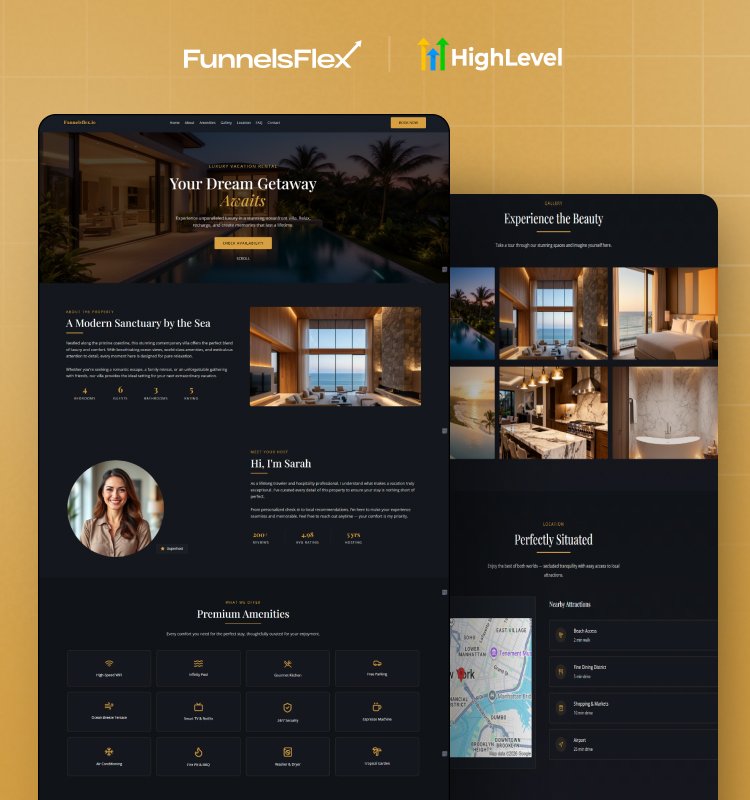
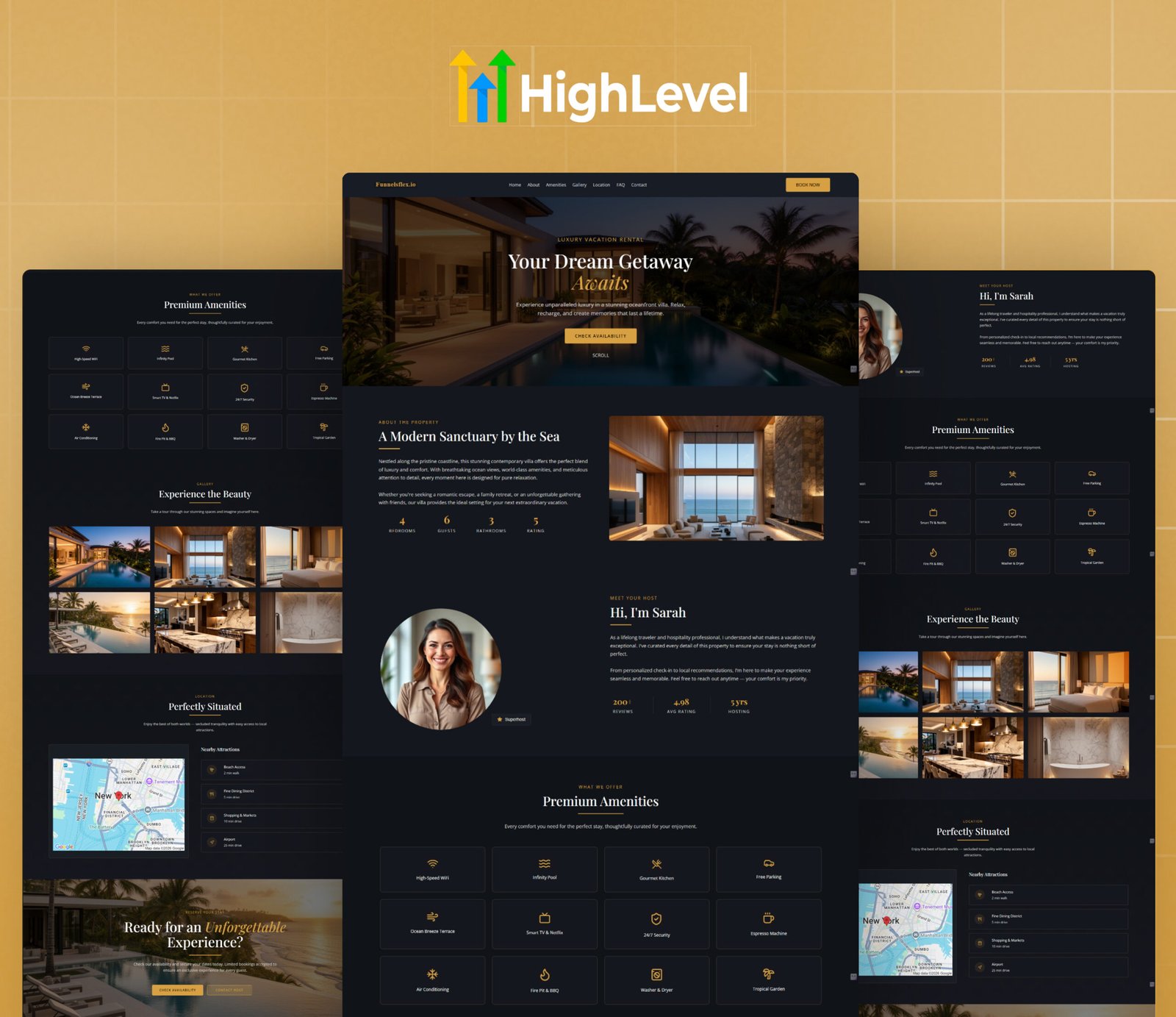
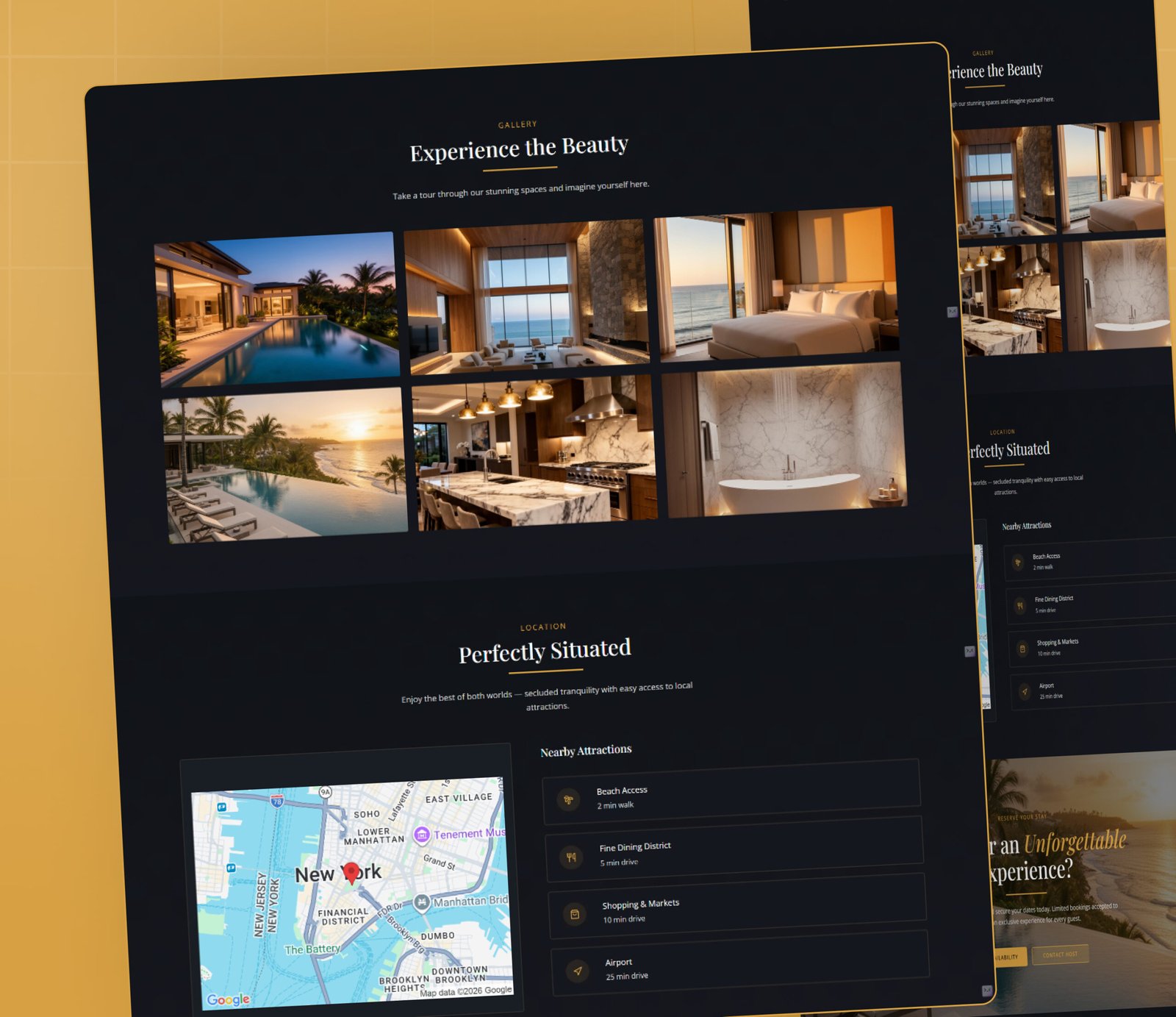
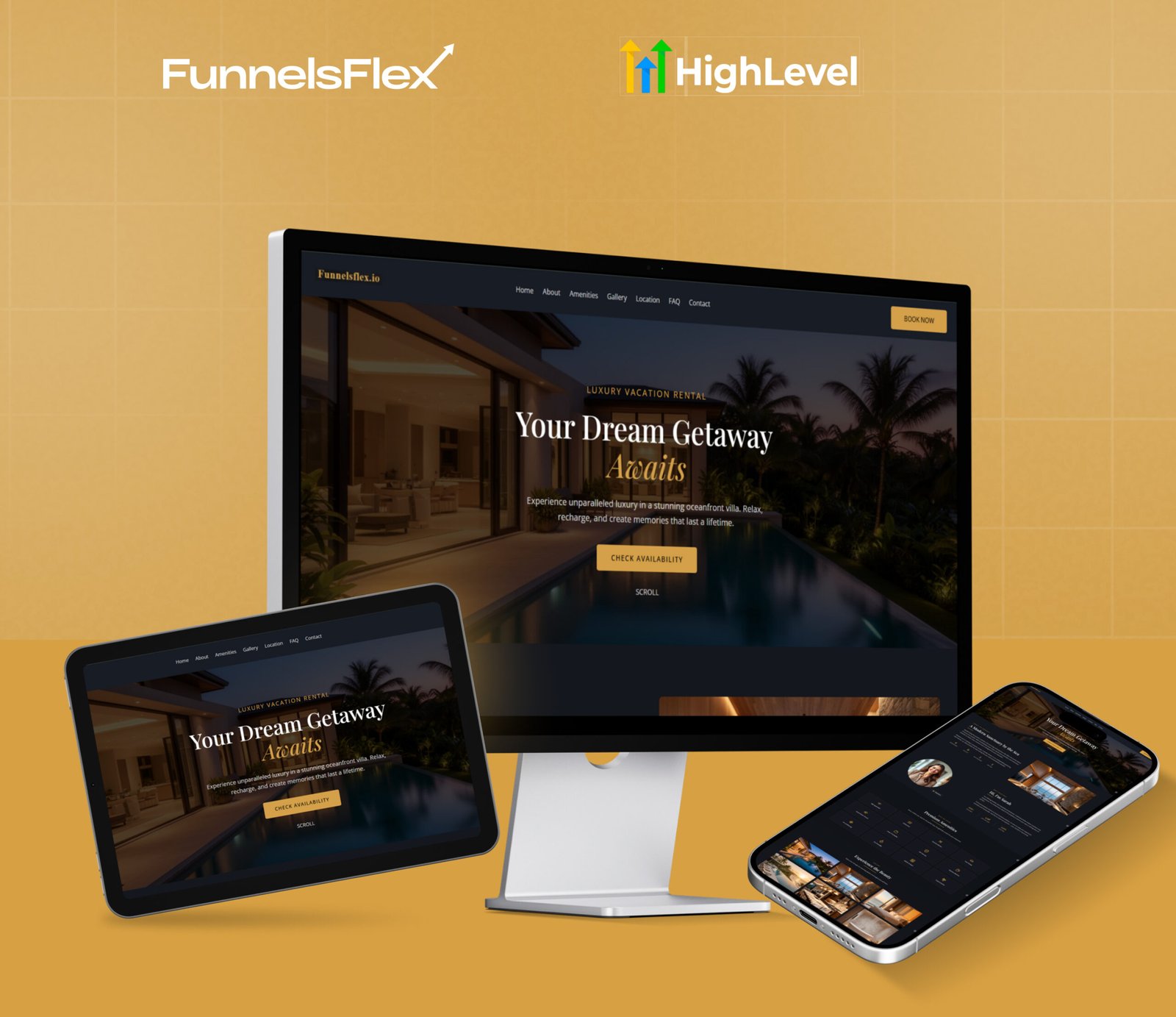
Premium GoHighLevel Airbnb Funnel Template | Custom Vacation Rental Funnel | GHL CRM Booking funnnel
$99.00 Original price was: $99.00.$49.00Current price is: $49.00.
- Optimized for Bookings
- Customizable Design
- High-Converting Pages
- Responsive & Mobile-Ready
Get This Funnel Free Start your 30-day GoHighLevel trial & grab this template FREE!
If the template doesn’t fit your brand, we’ll custom build one that does optimized, responsive, and ready to convert.
The GoHighLevel AirBnB funnel template is an automated AirBnB host/short-term owner booking system designed to help these entrepreneurs get more direct bookings.
Rather than relying on rental sites, this funnel will assist you in generating leads, automating responses, and converting visitors into confirmed guests.
It works as a complete short-term rental funnel built inside GoHighLevel. If you want a simple way to improve AirBnB lead generation and reduce manual work, this funnel is the right solution.
How This Funnel Helps Your Rental Business?
This AirBnB booking funnel is designed to make your work easier and your income more stable. It helps you:
- Capture guest inquiries automatically
- Send instant email and SMS replies
- Store guest details inside GoHighLevel CRM
- Reduce back-and-forth messages
- Increase direct bookings
- Improve guest communication
It also helps in marketing automation, booking reminders, and follow-ups for Airbnb. It implies your rental business continues to operate even when you are busy.
What Makes This Funnel Powerful?
This is more than just a design template. It is a full property rental funnel strategy that includes:
- Lead capture for rentals
- Automated booking system
- Guest conversion process
- Follow-up messages
- Organized booking management
It works perfectly as a vacation rental marketing template for hosts who want professional systems without complex tools.
Funnel Pages Included:
This template includes three important pages that guide guests step by step.
Home Page
The Home Page introduces your vacation property clearly and attractively. It shows your property highlights, amenities, and key benefits. Guests can quickly understand why they should book with you.
This page builds trust and encourages visitors to move to the booking step. It acts as the first stage of your AirBnB host marketing funnel.
Booking Page
The Booking Page works as your automated booking system. Guests can choose dates, enter details, and send booking requests easily.
This page reduces manual handling and improves your short-term rental automation. It also helps increase confirmed reservations through a simple and smooth process.
Thank You Page
Guests are redirected to the Thank You Page after booking. This page proves their request has been accepted.
You can use this page to:
- Share check-in details
- Provide house rules
- Offer upgrades or special packages
- Build trust with professional communication
It completes the guest journey in your Airbnb guest conversion funnel.
Built-In Automation Features:
The GoHighLevel vacation rental funnel includes smart automation tools such as:
- Instant confirmation emails
- SMS booking alerts
- Reminder messages
- CRM tracking
- Follow-up sequences
These features support full GoHighLevel booking automation and make your rental business more organized.
Who Should Use This Template?
This funnel is ideal for:
- AirBnB hosts
- Vacation home owners
- Short-term rental managers
- Property rental agencies
This template is a good option in case you require improved AirBnB lead generation, improved guest communication, and more direct bookings.
Are You Ready to Get More Direct Bookings and Increased Profits?
Below, you can start your AirBnB funnel with immediate access, training, and setup support. Convert web visitors to verified guests, verified guests to five-star reviews, and one-time customers to repeat customers.
$99.00 Original price was: $99.00.$49.00Current price is: $49.00.
Premium GoHighLevel Airbnb Funnel Template | Custom Vacation Rental Funnel | GHL CRM Booking funnnel
- Optimized for Bookings
- Customizable Design
- High-Converting Pages
- Responsive & Mobile-Ready
Get This Funnel Free Start your 30-day GoHighLevel trial & grab this template FREE!
If the template doesn’t fit your brand, we’ll custom build one that does optimized, responsive, and ready to convert.