GoHighLevel Website Design for Bankruptcy Lawyers: How to Stand Out Online

Your bankruptcy website is either bringing in clients or pushing them away. Most lawyer websites load very slowly on mobile phones. When leads fill out a form, they wait many hours for a response. Prospects do not understand which bankruptcy chapter is right for them. You lose the case before they even call you.
A clean, fast GoHighLevel website design fixes all of these problems. This guide shows you what actually works for bankruptcy lawyer websites. You will learn about mobile optimization, response automation, clear practice areas, trust signals, page speed, and local search strategy.
Funnels or Full Websites: Which Type Converts Faster
Funnels convert faster into phone calls and emails. You take a person from point A to point B in just three clicks. Everything on the funnel is built to move them toward one action only.
Full websites convert more slowly because people get distracted. However, they rank much better in search results. People trust full websites more because they look more professional. Google also ranks full websites higher in search results.
Which One Should You Build First
You should start with a funnel to generate leads quickly. Then you add a website for search rankings and long-term trust.
GoHighLevel lets you build both types at the same time. Your funnel brings immediate leads from paid ads. Your website brings long-term search traffic from Google and Bing.
| Features | Funnel | Full Website |
| Lead speed | Fast | Slower |
| Search ranking | Difficult | Easier |
| Trust | High | Very high |
| Setup time | 1–2 weeks | 3–4 weeks |
Making Your Website Work on Mobile Phones
Most people view your site on their phones. If buttons are too small, text is unreadable, or pages load slowly, they leave. Here’s what to fix.
Why Mobile Phones Matter So Much
Mobile searches for bankruptcy are seven times higher than desktop searches. If your website does not work on phones, you lose those clients forever.
What Kills Conversions on Mobile Devices
Many bankruptcy websites have these problems on phones:
- Buttons that are smaller than 48 pixels tall so thumbs cannot tap them correctly
- Text that is too tiny and forces people to zoom in to read it
- Slow loading speed that takes over three seconds to show the page
- Forms that ask too many questions, so people give up before finishing
How to Fix Mobile Problems on Your Website
You need to make these changes to your website right now:
- Make all buttons at least 48 pixels tall so mobile users can tap them easily
- Put 8 pixels of space between buttons so fingers do not accidentally tap the wrong one
- Stack all your content from top to bottom instead of putting items side by side
- Use a 16-pixel base font size so people can read without zooming in
- Make phone numbers clickable so people can tap to call you directly
- Simplify forms to ask only three things: name, phone number, and message
Setting Up Automatic Responses for Fast Lead Follow-Up
Why Response Speed Matters So Much
Practices that respond in five minutes close 400 percent more cases than those that wait 30 minutes. When a prospect fills out your form, they are ready to talk right now. If you wait, they call another lawyer.
How to Set Up Automation in GoHighLevel
You can set up automatic responses that work 24 hours a day. These responses happen without you doing anything after you set them up one time.
Setting Up Email Responses
Create an email that goes out in 30 seconds when someone fills out your form. Thank them and tell them to watch for a text message.
Setting Up Text Message Responses
Set up a text that goes out in two minutes with your phone number. People respond faster to text than email.
Setting Up Calendar Link for Scheduling
Add a scheduling link in your email and text so prospects pick their own time. This saves you time from manual scheduling.
Setting Up After-Hours Follow-Up
After-hours leads go into your customer relationship management system so you can follow up first thing in the morning.
How to Set This Up in GoHighLevel
Use the GoHighLevel form builder to create a form with name, phone, and message. Click automation and select email confirmation, text confirmation, and calendar link. Add your phone number and available times. The system runs everything automatically after this.
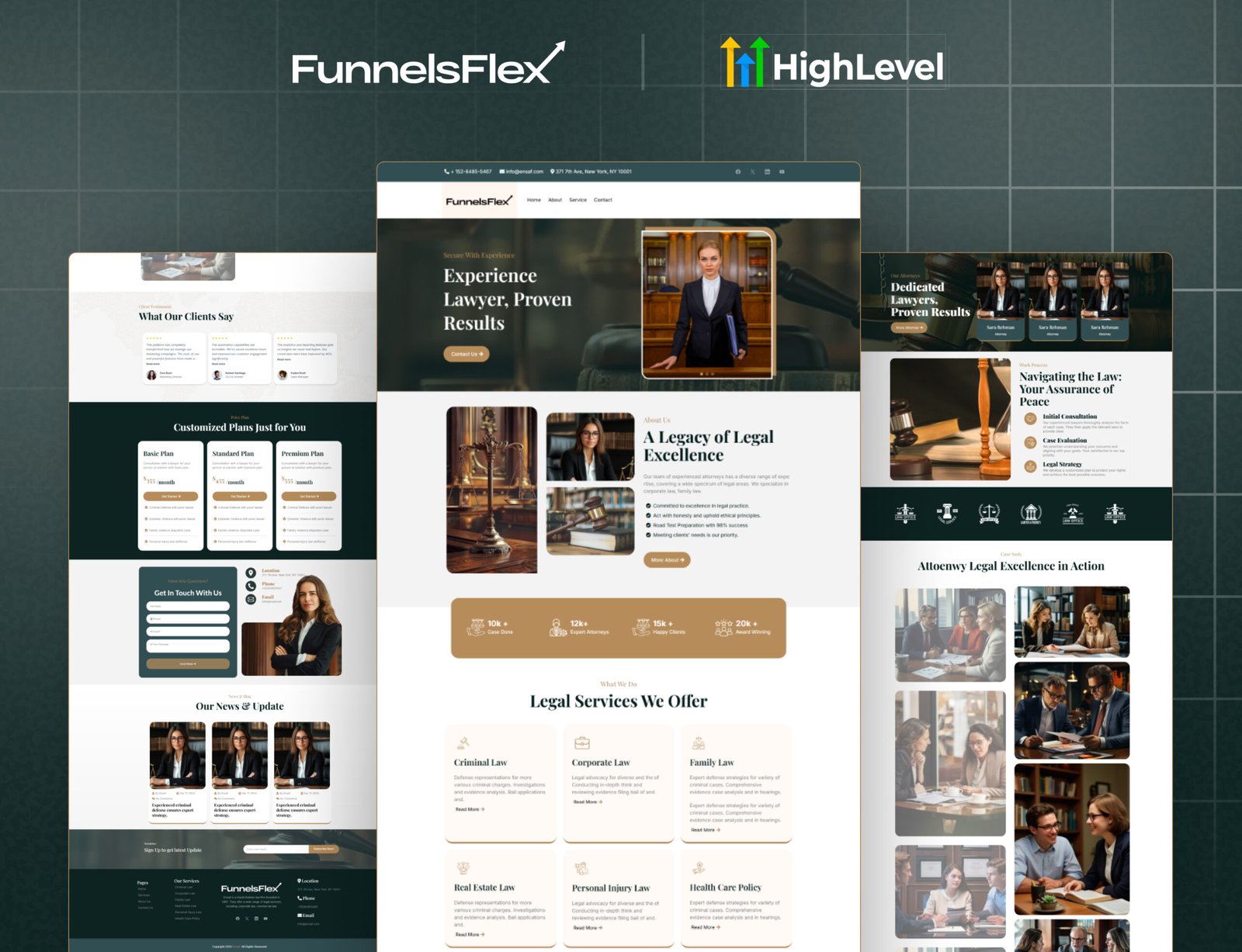
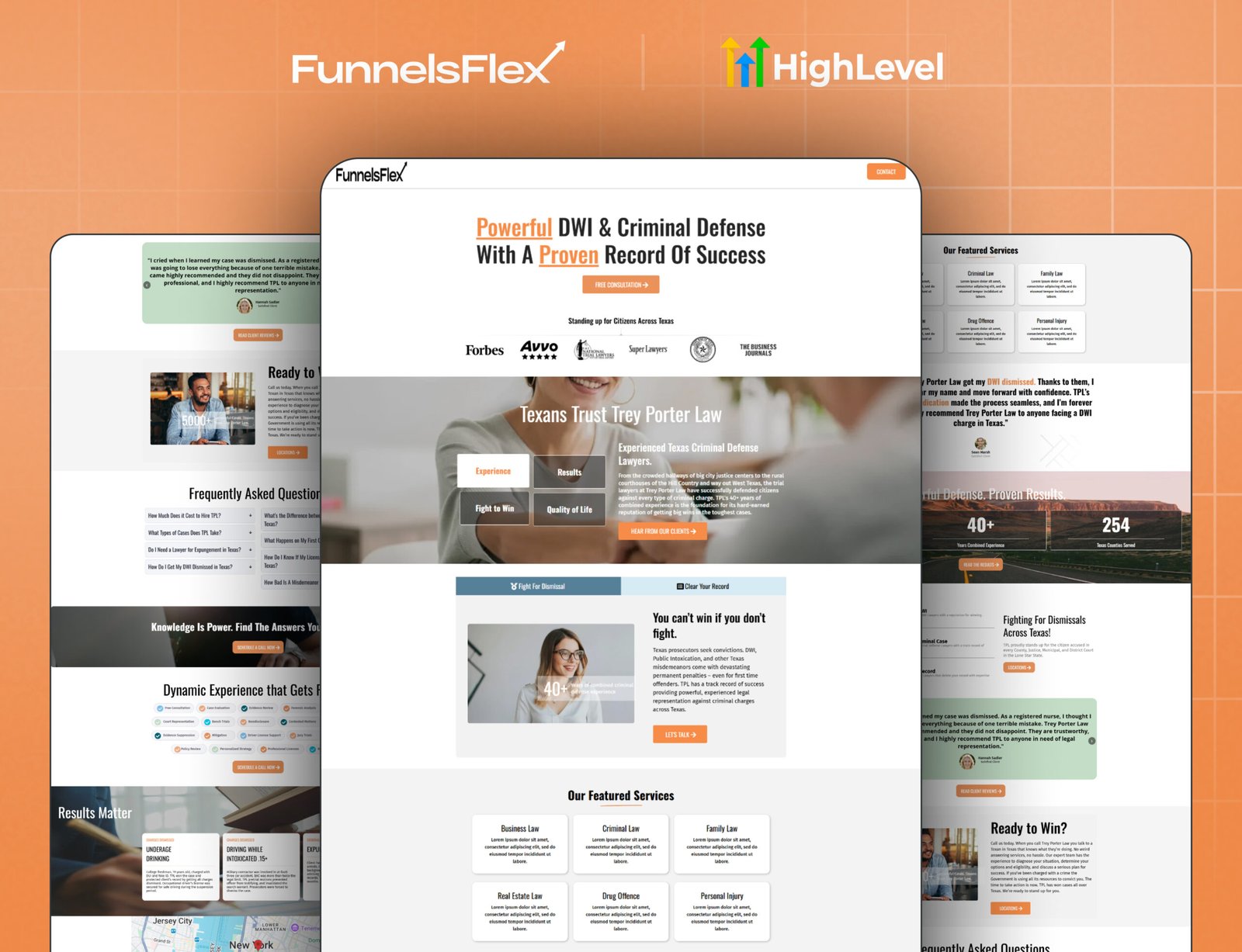
Top 2 Best Website Designs for Bankruptcy Lawyers in 2026
Here are two great examples of bankruptcy law firm practices that stand out and what makes them shine.
Making Your Website Load Faster
Your site needs to load quickly, or visitors will leave. Here’s what to do:
Make Your Website Fast
Slow sites lose visitors. You need to compress images, delete unused plugins, enable browser caching, use a CDN, and enable lazy loading. Then check your score in Google PageSpeed Insights. If it’s below 80, fix that first before anything else.
Local Search
Most people search “lawyer near me” now. Complete your Google Business Profile with your exact name, phone number, address, and hours. Upload 10-15 photos of your office and team so potential clients see who they’re hiring. Ask every client to leave reviews on Google and Avvo. More reviews mean better rankings and more trust.
Create a separate page for each city you serve. Write different content for each location about local laws and courts. Don’t copy and paste between pages. Google will see it, and it won’t help your rankings.
Use Real Numbers in Your Bio
Don’t say you’re experienced. Show it instead. Say something like, “I’ve filed over 500 Chapter 7 bankruptcies. My clients eliminated $50 million in total debt. Average case takes 4 months.”
Your attorney bio should include a professional photo, specific numbers (cases filed and money cleared), years practicing, your law school and certifications, one real client quote, and your direct phone number.
Make Your Site Accessible
Most law firm websites don’t meet accessibility standards. Make sure yours works for everyone. Use dark text on a light background, add alt text to every image, make buttons work with keyboard navigation, add labels to forms, include captions on videos, and allow users to zoom up to 200%. It’s required by law anyway.
Write Blog Posts People Actually Search For
Stop writing generic posts like “Understanding Bankruptcy” or “Bankruptcy FAQ.” Nobody clicks those. Instead, write about questions your clients actually ask:
Write about 1,500 words per post and publish one every two weeks. End each post with: “Ready to discuss? Contact us.”
Your Four-Week Implementation Plan
Month Three Plus: Track which pages convert best. Update old blog posts. Get more reviews.
Read this: Sales Funnel for Contractors | Step-by-Step Guide to Boost Your Leads
Common Mistakes About Bankruptcy Websites
What to Consider Before You Look for a Bankruptcy Website Template Design
Before you hire someone to build your site, keep these things in mind:
Tips
Before hiring a designer or buying a template, list what you want your site to do: inform, convert leads, show trust, and make sure your design plan covers all those.
Conclusion
Your bankruptcy website is either bringing in cases or it is pushing them away. Fix mobile speed first. Fix response automation second. Fix the practice area clarity third. Fix trust signals fourth. Fix page speed fifth.
Then add blog content. Then optimize for local search results.
Your prospects are scared and stressed about their finances. A fast, clear, and trustworthy website makes them confident enough to call you and get help.